My AI software我的 AI 软件
Desktop software I designed, built and shipped to real users — not a demo, a product with releases, field testing and an update channel.我设计、开发并交付给真实用户的桌面软件——不是 demo,是有发布线、真机测试和更新通道的产品。
MicType
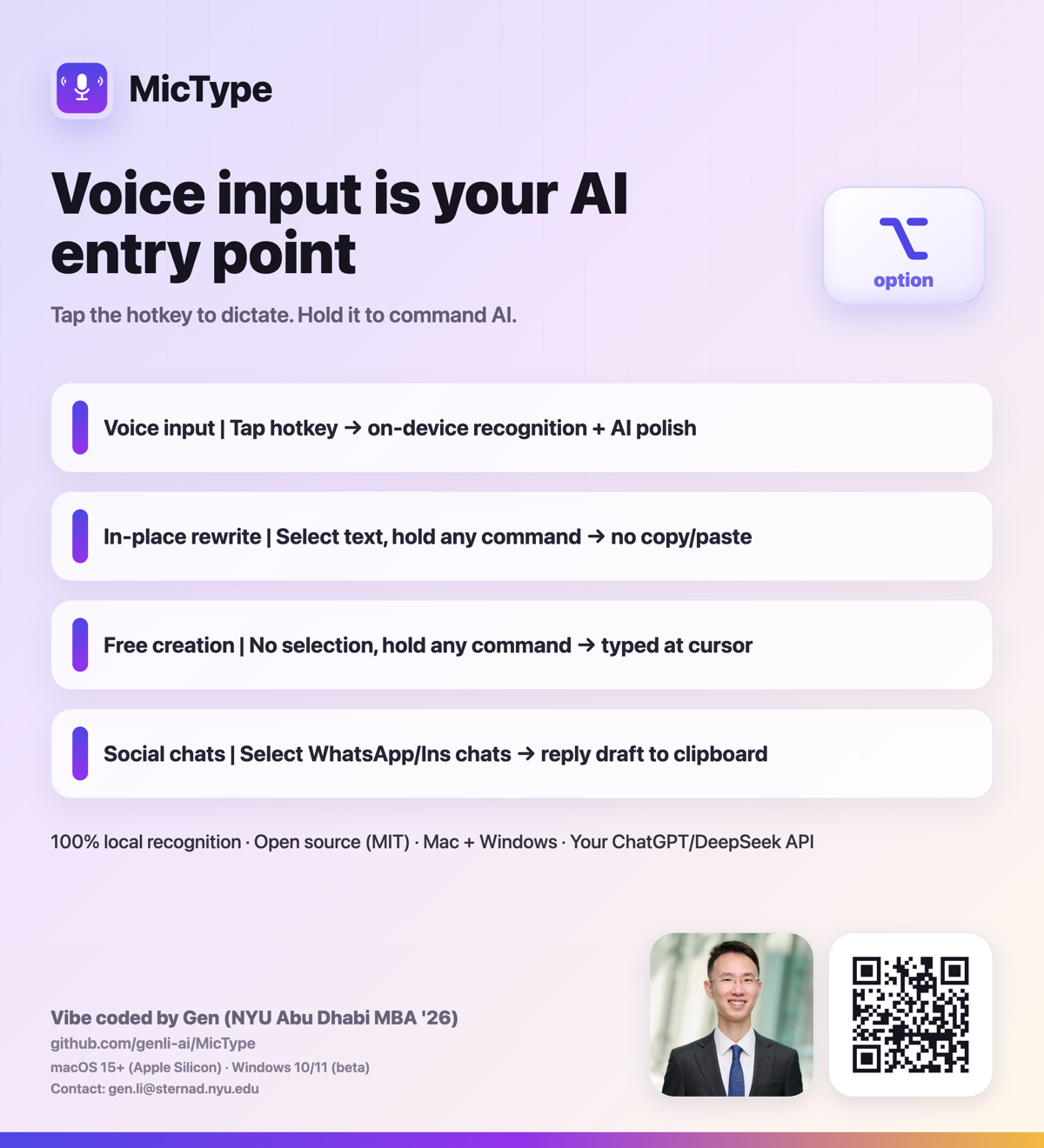
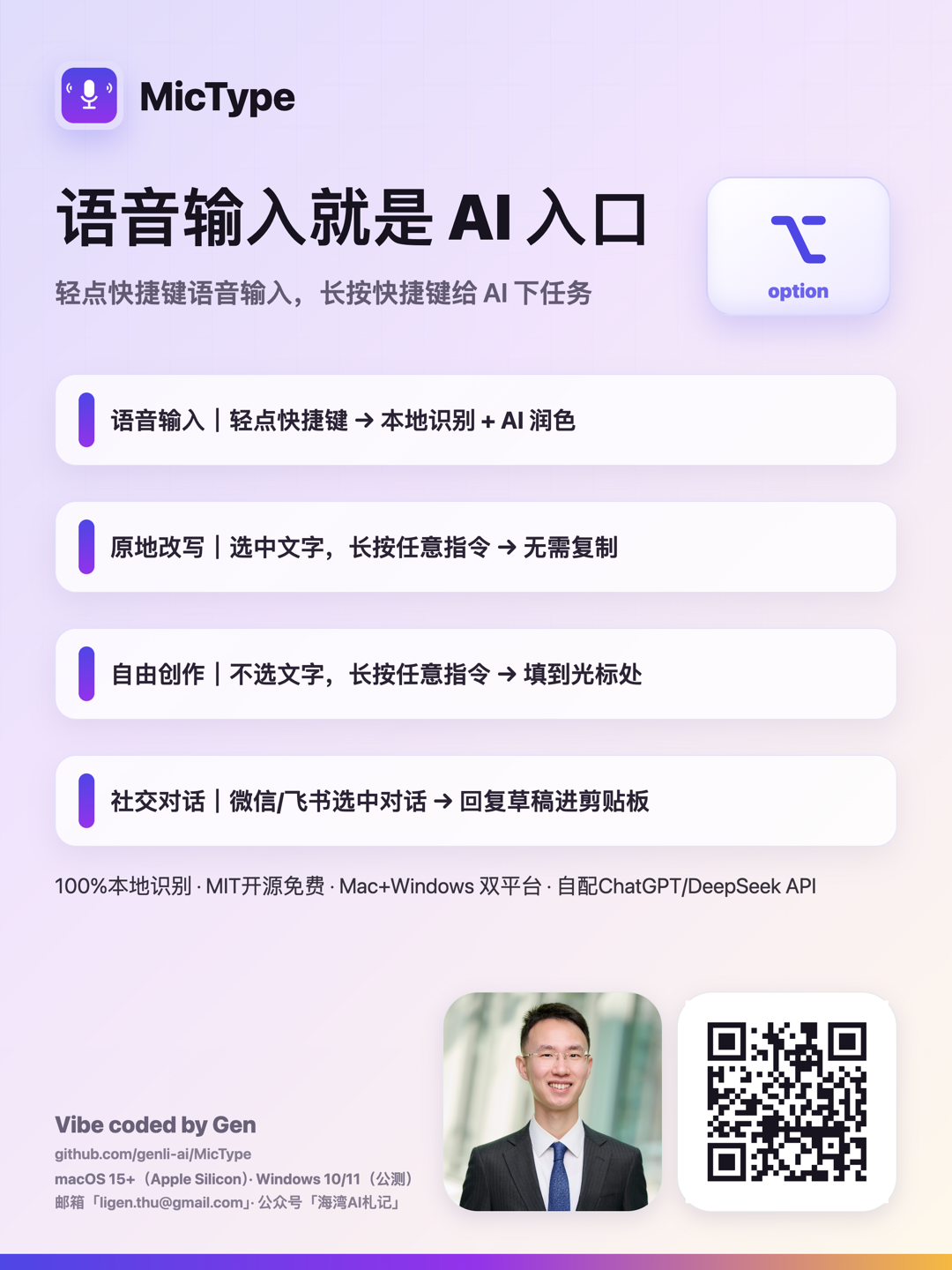
Voice input that doubles as your AI entry point. One key, two gestures: tap to dictate, hold to command AI — in any app, right where you're typing.语音输入,同时是你的 AI 入口。一个键,两种手势:轻点听写,按住指挥 AI——在任何应用里、就在你打字的地方。
- 01
Tap — speech becomes text轻点——说话就是打字
Tap the hotkey, speak, tap again. Clean, punctuated text lands at your cursor in any app — chat, docs, browser. Recognition runs 100% on-device; audio never leaves your machine.轻点快捷键,开口说,再点一下——带标点的整洁文字直接落在任何应用的光标处:微信、文档、浏览器。识别 100% 在本机运行,录音绝不上传。
- 02
Hold — speech becomes an AI command按住——说话就是指挥 AI
Hold the same key and talk to AI where you work: select text and say "make it formal" or "translate this" — it's rewritten in place. Say "reply to him: agree, but push to next week" — a ready-to-send draft lands on your clipboard.按住同一个键,在你工作的地方直接对 AI 说话:选中文字说「改得正式点」「翻译成英文」——原地改写;说「帮我回复他:同意,但推到下周」——可直接发送的草稿落到剪贴板。
MicType for iPhone
A focused iPhone build with the same philosophy. A voice keyboard that runs on your own AI — tap to dictate, hold to command. Honest about the microphone, and no MicType server in between — your audio and text go straight to OpenAI, with your own key.理念一致的 iPhone 精简版。一个语音输入键盘,跑在你自己的 AI 上——轻点听写,按住指挥。对麦克风坦诚;中间没有 MicType 的服务器——录音和文字用你自己的 Key 直接发给 OpenAI。
- Runs on your own OpenAI key. Every sentence is recognized twice — live as you speak, and once more from the whole recording — and the more accurate result lands a few seconds after you stop. Your audio and text go straight to OpenAI; MicType has no servers.跑在你自己的 OpenAI Key 上。每句话识别两遍——边说边识别一遍,说完再用整段录音识别一遍,取更准的那份,松手后几秒出字。录音和文字直接发给 OpenAI,MicType 没有服务器。
- Bring your own AI. Polish / translate / rewrite / voice commands run on your own key — a 30-day trial, then a one-time purchase. No subscription, no account, no servers.AI 自带。润色 / 翻译 / 改写 / 语音指令都用你自己的 Key——30 天试用,之后一次买断。不订阅、无账号、无服务器。
Closed-source (App Store), separate from the open-source desktop build above. Available in overseas regions at launch.iPhone 版为闭源(App Store),与上方开源桌面版相互独立。首发面向海外区。
- 100% on-device recognition. Qwen3-ASR on Mac (MLX / Metal), SenseVoice on Windows (sherpa-onnx) — ~30 languages, strong Chinese–English mixed dictation.识别 100% 本地运行。Mac 用 Qwen3-ASR(MLX/Metal),Windows 用 SenseVoice(sherpa-onnx)——约 30 种语言,中英混说尤其强。
- Adaptive AI polish. Short phrases get light cleanup; long rambling speech is restructured into ready-to-use writing. Grammar correction is a baseline, in Chinese and English alike.自适应 AI 润色。短句轻清理;长段混乱口述重组为可直接使用的成文。语法修正是基础标准,中英文一视同仁。
- Intent-inferred commands. No magic words: the model decides from what you say whether to rewrite the selection, draft a reply, or write something new.指令意图由模型自判。没有固定咒语:改写选区、代拟回复、还是写新内容,由你说的话决定。
- Hard vocabulary replacement. Exact homophones that defeat every ASR (杰文 vs 捷文) are fixed deterministically with a
wrong=rightrule — zero latency, no model.词汇表硬替换。任何识别引擎都救不了的同音专名(杰文/捷文),用一条错写=正写规则确定性纠正——零延迟、不靠模型。 - Bring your own model. GPT or DeepSeek, any OpenAI-compatible endpoint; keys live in the OS keychain. Without a key it still works fully offline as a dictation tool.模型自带。GPT 或 DeepSeek,任何 OpenAI 兼容接口;Key 存系统钥匙串。不配 Key 也能当纯本地听写工具用。
- One version line, in-app updates. Mac and Windows ship together; a tag push auto-builds the Windows release, and users upgrade with one click from the About page.双平台统一版号、应用内更新。Mac 与 Windows 同步发布;打一个 tag 自动构建 Windows 包,用户在「关于」页一键升级。
I dictate constantly — and every tool I tried either uploaded my voice, mangled Chinese–English mixed speech, or stopped at transcription when what I actually wanted was to command AI by voice.我重度依赖语音输入——但试过的工具要么上传录音、要么搞砸中英混说,要么止步于转写。而我真正想要的,是用语音指挥 AI。
So I built MicType in an AI-collaborative workflow: shipped the first installable Mac build in under an hour, then iterated through 20+ releases driven by real users — friends field-testing on real Windows machines, every bug pinned by diagnostic logs and fixed the same day.于是我用 AI 协作的方式把它造了出来:不到一小时发出第一个可安装的 Mac 版本,随后由真实用户驱动迭代了 20+ 个版本——朋友们在真实 Windows 机器上实测,每个 bug 由诊断日志定位、当天修复。
macOS 15+ on Apple Silicon (notarized) · Windows 10 22H2+ / 11 x64 (public beta) · upgrades in-app via Check for UpdatesmacOS 15+(Apple Silicon,已公证)· Windows 10 22H2+/11 x64(公开测试)· 之后升级在 App 内「检查更新」一键完成